screenshot - meta + shift + print
wallpaper - right click desktop and desktop setting
meta + lock
disable lock
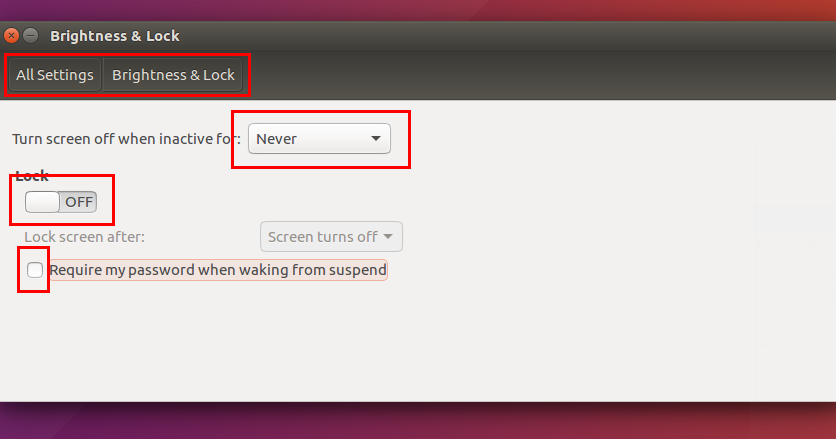
How To Disable Suspend & Lock in Ubuntu & Kubuntu
Senior author, Open Source enthusiast. Wednesday, April 20, 2016 at 23:50 Sometimes, suspend and lock behavior in Ubuntu or Kubuntu is annoying. For example, you need to enter your password again in every suspend. These behavior are easy to disable by short instructions below.

https://www.ubuntubuzz.com/2016/04/how-to-disable-suspend-lock-ubuntu-kubuntu.html
kpackagetool5 --list --type Plasma/Applet -g
plasmawindowed org.kde.plasma.kickoff
ctrl + esc- system activity
Run KDE applet from command line (within i3wm)
Thanks for contributing an answer to Super User! Please be sure to answer the question. Provide details and share your research! Asking for help, clarification, or responding to other answers. Making statements based on opinion; back them up with references or personal experience. To learn more, see our tips on writing great answers.

https://superuser.com/questions/1012790/run-kde-applet-from-command-line-within-i3wm